
WhatsApp is now testing a native multi account feature on iPhones, allowing users to switch between two separate accounts inside the same app. Chat histories, notifications, privacy settings are distinct for each profile.
Historically, WhatsApp has made it tricky to manage more than one account on a single iPhone. To have two WhatsApp numbers, many users had to either:
- Use WhatsApp Business for a second number, or
- Switch devices / reinstall the app to change to a different account.
These are clunky workarounds and not ideal, especially for people juggling work personal accounts.
What Exactly the Beta Reveals: Features & Functionality
Availability & Beta Details
- The multi-account feature is being tested via TestFlight, which means it’s in the beta version on iOS.
- The build noted by several sources is iOS beta version 25.34.10.72.
- Currently, only up to two accounts are supported per device in this beta.
How to Add Switch Accounts
There are three ways to add a second account, according to the beta:
- Register a new number: You can add a phone number that has never been used on WhatsApp.
- Link an existing account: This could be:
- A WhatsApp Business account you already have.
- Another WhatsApp account from another device.
- Use a companion account via QR code: Scan a QR code from another device to link the account, and then sync messages/settings.
Switching between accounts is designed to be rapid and user-friendly:
- There’s a new section in Settings called “Account List” where you can see and switch between accounts.
- You can also quick switch by:
- Pressing and holding the Settings tab, or
- Double-tapping the Settings tab to jump to the other account.
- When you get a notification, WhatsApp clearly shows which account received that message helping avoid confusion.
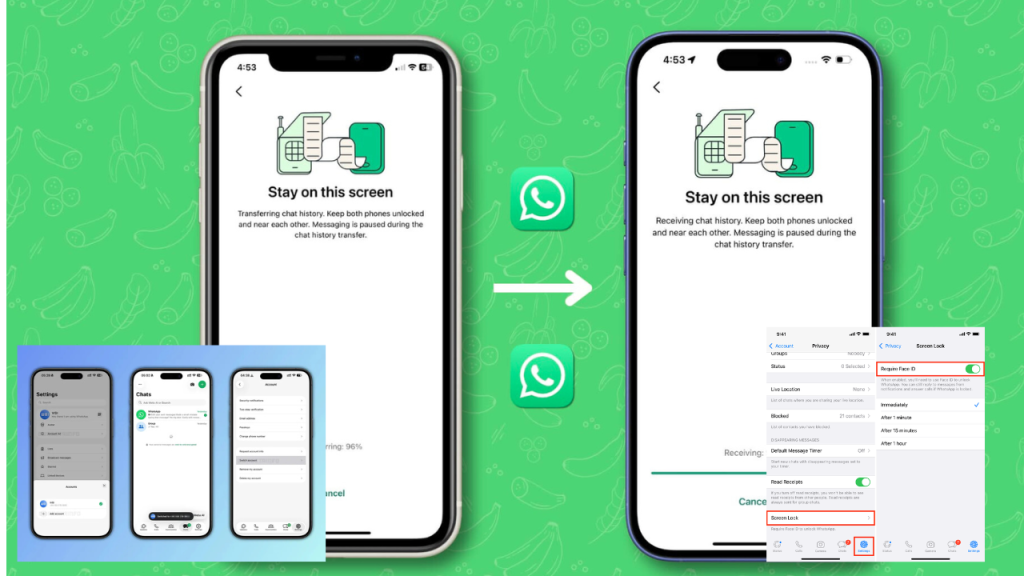
Separation of Data & Settings
- Chat history: Each account has its own chat logs.
- Backup configuration: Backups are separate, so one account’s backup settings don’t override the other.
- Notification settings: Notification tone, preferences, privacy each account is independent.
- Privacy settings: You get separate privacy controls per account.
Security Integration: App Lock
- The multi-account feature is integrated with WhatsApp’s App Lock. So if you have App Lock enabled for one of your accounts, switching to that account may require authentication
- This is critical for privacy, especially on shared devices, or when one account is more sensitive / private.
Removing Accounts
- The beta lets users remove an account via Settings.
- When removed, WhatsApp remembers previously used numbers, so you can re-add them later more easily.
Why WhatsApp Is Rolling This Out Strategic & User Motivations
User Demand & Use Cases
- Many users have two (or more) WhatsApp numbers: personal + business, or work + home. A native multi-account system simplifies their lives dramatically.
- Reliance on WhatsApp Business or third party hacks was never ideal. This feature brings everything under one roof.
- iPhone users have long asked for this. By bringing it to iOS, WhatsApp is matching feature parity with Android and improving UX.
Competitive Pressure
- Messaging platforms are becoming more flexible: features like multiple accounts, better privacy controls, and seamless switching are increasingly standard.
- To remain relevant and modern, WhatsApp needs to evolve. Offering robust multi-account support helps maintain its dominance.
Meta’s Broader Vision
- Meta benefits from deeper engagement: users staying on WhatsApp instead of splitting across apps.
- This also fits into Meta’s strategy of making its apps more integrated and flexible giving users control and reducing friction.
Implications
For Regular Users
- Convenience: You can keep work and personal messages separate without carrying 2 phones.
- Better organization: Each account’s settings, notifications, and chats are siloed. Easier management.
- More privacy: With App Lock, sensitive chats remain secure.
- Many small business owners use WhatsApp Business. This feature could make them move away from the Business app for their business account, if they can do everything in the “main” WhatsApp.
- However, Business app-specific benefits (like catalog, auto-replies, business profile) may or may not be fully replicated in this multi-account system.
- Increased engagement: Users who switch less often or use multiple accounts may spend more time in the app.
- Lower churn: Reduces the need for users to rely on external or competitor tools for second accounts.
- Stronger retention: By giving more flexibility, WhatsApp keeps users glued to its platform rather than pushing them to alternatives.
- More control on user data: If managed properly, each account being separate means less risk of data bleed.
- But there’s also a bigger surface for misuse: If someone has two accounts, one for personal and one for business, ensuring clarity on which account data belongs to which could matter in regulatory contexts
Risks & What Could Go Wrong
- Beta stability: As the feature is in TestFlight, early adopters may face bugs, sync failures, or crashes.
- Data loss: If backup handling is not robust, there is a risk of data getting messed up when switching accounts.
- User confusion: Especially for non-tech-savvy users, multiple accounts can lead to confusion Which number did this message come into despite notification labels.
- Security loopholes: If account switching is not well locked down, someone with access to your phone could potentially switch to another account.
- Adoption: If this feature doesn’t roll out broadly, or if it’s limited to beta for a long time, its impact may be limited.
How Users Can Prepare / What to Do
- Join Beta via TestFlight: If you’re interested in testing multi-account, join the WhatsApp Beta on TestFlight (if spots are available).
- Be Careful with Backups: Before adding a second account, make sure you have a good backup of your current WhatsApp chats just in case something goes wrong.
- Use App Lock: If you care about privacy, enable App Lock for your accounts to secure them when switching.
- Monitor Storage: Keep an eye on your phone’s storage use because two accounts could double the media load if you’re not careful.
- Give Feedback: As a beta tester, provide feedback to WhatsApp about any bugs, UI issues, or confusing parts. This helps them improve the feature.
WhatsApp’s move to introduce native multi-account support on iPhone is a major step forward. It solves a long-standing pain point for many users, especially those juggling work and personal WhatsApp numbers. The feature, currently in TestFlight beta, offers:
- Two accounts per device, with fully separate data
- Multiple ways to add accounts: new number, existing account, or via QR code from another device
- Fast account switching.
- Security with App Lock (Face ID / Touch ID / passcode) when switching to protected accounts
- Ability to remove accounts and re-add them later